Find a book to read
Browse the shelf, narrow it to what you like, or search for a title or an author.
Open Browse in the header and click Books. You can read the first chapter of every book free, without an account.
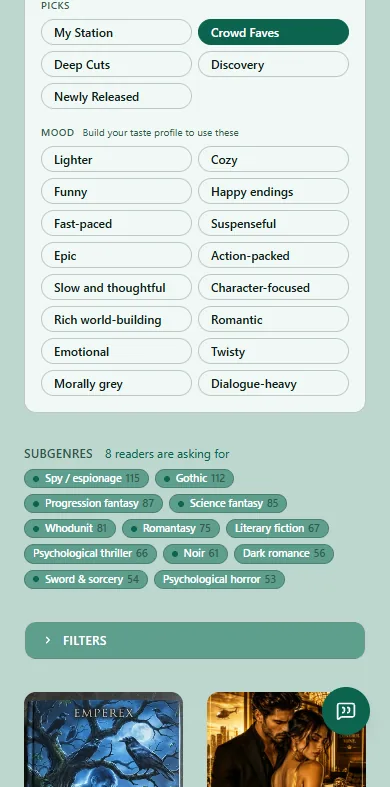
Pick a genre from All genres at the top, or use the row of shelves: New releases, Free to read, With audio, Series, Authors and more.
Change how the shelf is ranked with a pick, such as Crowd Faves, Deep Cuts or Newly Released, and lean it with a mood. Build a taste profile and My Station ranks books for you.
Open Filters to narrow it down: by status, rating, content rating, length, how recently it was updated, and whether a person or an AI wrote it.
To find a title or a pen name, click the search icon at the start of the shelf row, type at least two letters and click Search. Results come in Books, Series and Authors tabs.

Related
Steps checked against the Studio on November 26, 2026.