
Add a chapter you wrote somewhere else
Bring a chapter you've already written into your book, with your words kept exactly as they are.
Open your book's Timeline and scroll to the end of the chapter list. Click Add chapters you wrote elsewhere.
Paste the chapter into the box, or click Choose a file for a .txt or .md file. Add a Chapter title if you like.
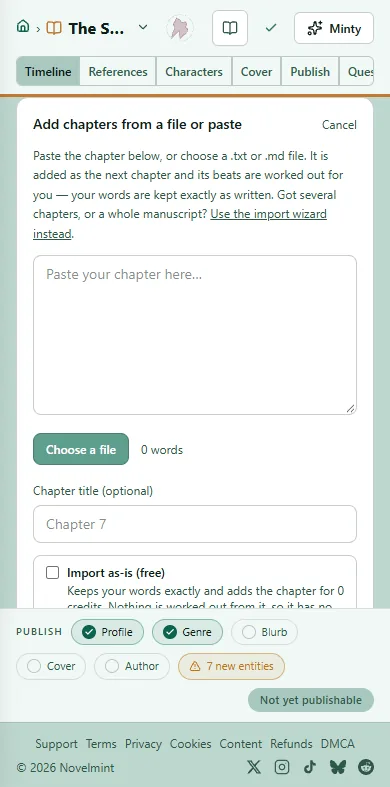
Choose how much is worked out from it. Import as-is (free) keeps your words and nothing else, so the AI tools can't work on that chapter later. Leave it off and the chapter's beats are worked out for you; the cost is shown before you add. Also work out characters and subtext adds the chapter to your cast's bibles too.
Click Add chapter. It becomes the book's next chapter, and your words are kept exactly as written.
To make it a prologue, change the chapter's kind from Chapter to Prologue on its card.
Several chapters, a whole manuscript, or a .docx or .epub file? Click Use the import wizard instead, choose Add to a book I already have and upload the file. The wizard lets you mark each part as a chapter, prologue or epilogue, and new chapters arrive unpublished.

Related
Steps checked against the Studio on November 11, 2026.