
Cash out your earnings
Choose how you get paid, then send your cleared earnings to your bank.
Open Account settings in the Account section of the menu, click the Money tab, then Earn.
Check the two cards. Available now is ready to cash out. Pending (30-day hold) is still clearing and moves across by itself.
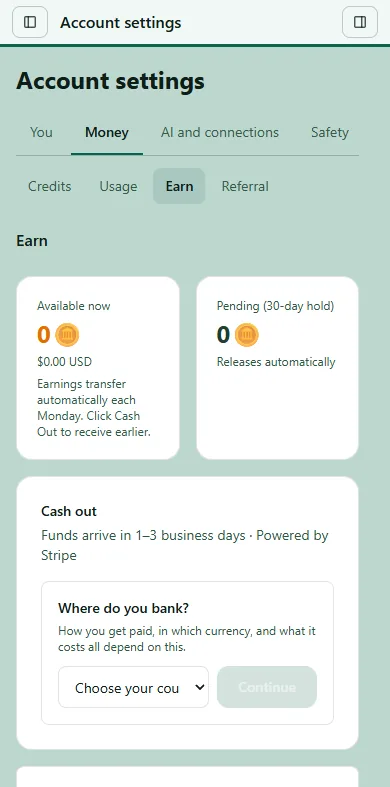
The first time, pick your country under Where do you bank? and click Continue. The page shows the ways we can pay you there.
Click Set up payouts → to be paid through Stripe, which checks your identity once on its own site. Or click Set up bank transfer to be paid by Wise, fill in your bank details, and click Save bank details.
Click Cash out to send what's available now. Earnings also go out by themselves every Monday once they pass your Auto-payout threshold, which is $50 unless you change it.
Rather spend it here? Under Convert to site credits, click Convert to turn cleared earnings into credits, one for one, with no fee.

Related
Steps checked against the Studio on November 26, 2026.