
Credits: what they pay for, and how to get more
Know what credits are for, where to see your balance, and how to top up.
Credits pay for the AI work in the Studio, like building chapters, covers and portraits, narration and translation. Readers spend them to unlock chapters. 100 credits cost $1.
Your balance is in the header at the top of the page. Click it for Buy Credits, Spent Credits and Earned Credits.
A new account gets 100 credits for writing the first time it opens the Studio, once. The first chapter of your first book is also built free.
To top up, open Account settings, then Money, then Credits. On the Top Up Credits card, pick how many with the − and + buttons, then click Buy for and the price. A plan adds credits every month instead.
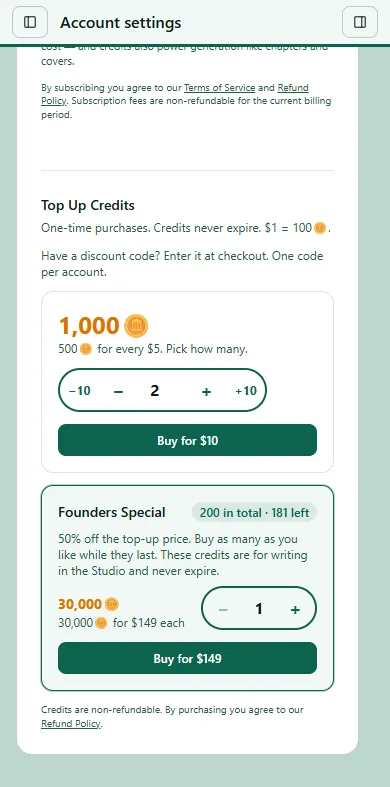
Credits don't expire. They stay in your balance until you spend them, with or without a plan.

Related
Steps checked against the Studio on November 26, 2026.