How your book earns money
See how readers pay for your chapters, how much of it you keep, and when it's yours to cash out.
Put the book in front of readers. Open Publish in the Book section of the menu, pick a Genre and turn on Public, then make each chapter public.
Readers unlock chapters at 5 credits each. The first chapter, and a prologue, are always free, so anyone can try the book before paying.
You keep 70% of what readers pay to unlock your chapters, and of what they pay to listen to them. When a reader unlocks the rest of a book's text at a discount, you still get 70% of the full price: Novelmint covers that discount.
Each unlock is held for 30 days. After that it's cleared, and you can cash it out or turn it into credits.
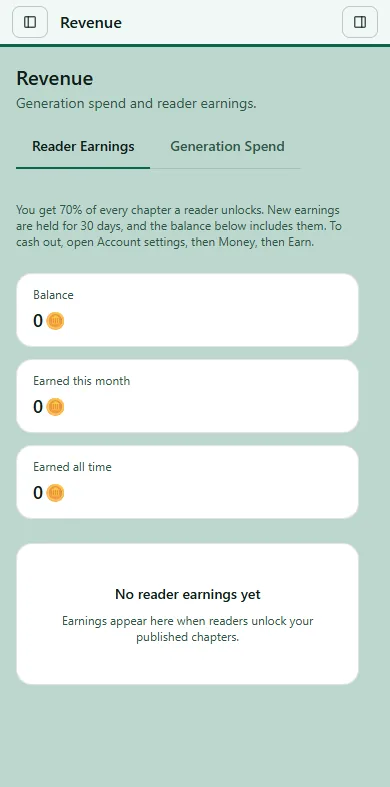
To see what you've earned, open Revenue in the Account section of the menu. Reader Earnings shows your balance, this month, all time, and each book. For what you can cash out today, open Account settings, then Money, then Earn.

Related
Steps checked against the Studio on November 26, 2026.