
Change or cancel your plan
Switch plans, update your card or cancel, and know what happens to your credits.
Open Account settings, then Money, then Credits. Your plan shows under Current plan, with every plan below.
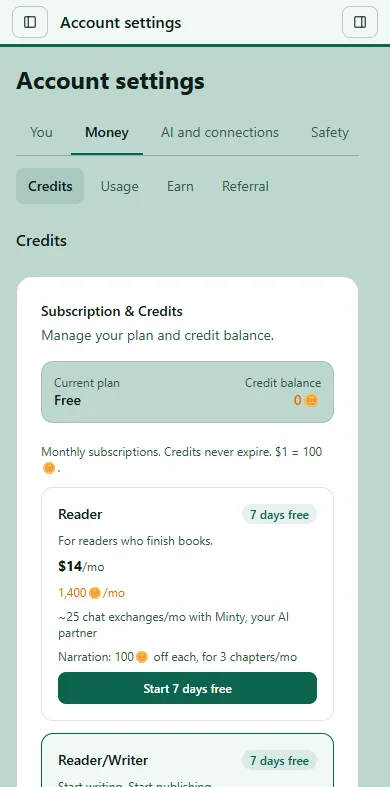
To switch, click Subscribe on the plan you want, then confirm on the Stripe page that opens. Your plan is changed, not doubled: an account has one plan at a time.
To update your card, download an invoice or cancel, click Manage subscription →.
Moving up a plan partway through the month adds the difference in credits for this month. Moving down, the smaller plan's credits start at your next renewal.
Cancelling takes effect at the end of the month you've paid for. You keep every credit in your balance, free ones included, to spend whenever you like.

Related
Steps checked against the Studio on November 26, 2026.