Is my book live? Check readers and earnings
See whether readers can find your book, which chapters they can read, and what you've earned.
Open your book's Publish tab. When the book is listed, its card shows ● Live and how many chapters are public, and the Public switch is on.
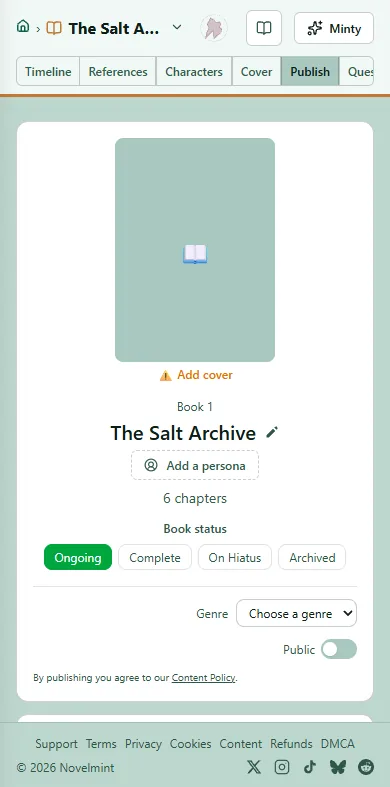
Check the chapter table on the same tab. In the Publish column, a green dot means the chapter is public, orange means it isn't, and grey means it hasn't been written yet. A listed book with no public chapters has nothing to read.
On the Timeline, the bar along the bottom shows whether the book is ready to publish. Once it's live, View published opens the page readers see.
To see who is reading, go to your Studio and open Readers: book page visits, chapter opens, chapters finished and new followers, with more on links, places, reading, times and ratings.
To see what you've earned, open Revenue in your Studio: your available balance, this month, all time, and earnings per book. You get 70% of every chapter a reader unlocks.
To cash out or set up payouts, go to Account and open Earn. New earnings are held for 30 days before you can cash them out.

Related
Steps checked against the Studio on November 11, 2026.