Keep a book free, or charge for chapters
Choose whether readers pay to unlock chapters, and make a book free for a while or for good.
Open your book's Publish tab. Pick a Genre, then turn on Public. The book needs a real title and a cover first.
A listed book charges 5 credits for each chapter. The first chapter, and a prologue, are always free, so every reader can try the book before paying. You get 70% of every chapter a reader unlocks.
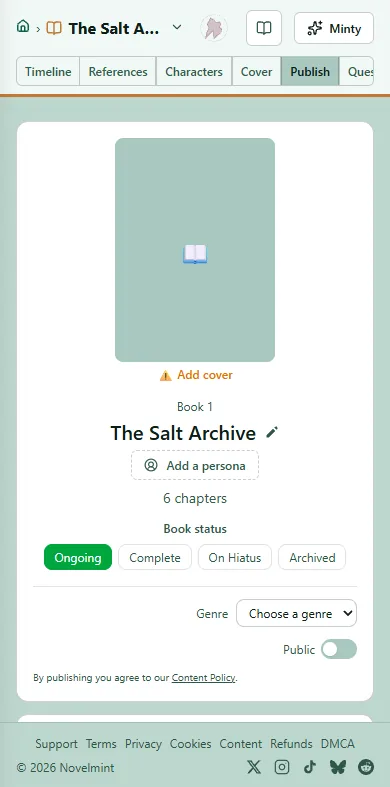
To give the whole book away, turn on Free. It appears next to Public once the book has been listed.
To be free for a while, set a Free until date. Readers see a countdown, and the price comes back on that day. Leave the date blank to stay free, or click Clear date to remove it.
Turn Free off to charge for chapters again, at 5 credits a chapter. A book that was free until a date goes back to the price it had before.

Related
Steps checked against the Studio on November 11, 2026.