
Start your first book
Go from an empty Studio to a book you can write in.
Sign in and you land in your Studio. Click Start a new book. If you already have books, it's + New book.
Under 1. Name it and choose a series, keep A new series and add a series and book title if you have them. Both can wait.
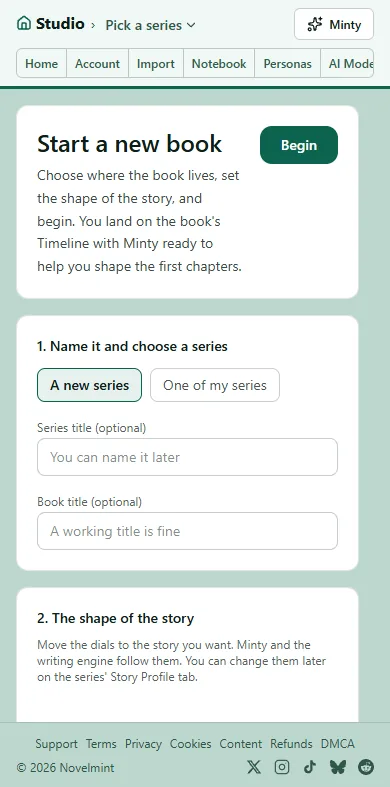
Under 2. The shape of the story, move the dials toward the story you want, such as how dark, how fast and how much romance. Minty and the writing follow them, and you can change them later.
Click Begin. Your book opens on its Timeline, which is where you write.
Choose how to start: Already have an idea? to tell Minty, Start writing to write yourself, Start with a beat, or Upload your notes. Agents can also draft a whole plan for you to change. Either way you decide what happens, and your first chapter is free to build.

Related
Steps checked against the Studio on November 11, 2026.